 Cortalisto
From the piece in your head to the step-by-step assembly guide in 10 minutes
Describe the piece or pick a template. Cortalisto gives you the 3D model, the cut list with a cutting diagram per sheet, the reference cost for your country and, what nobody else gives you, the assembly manual part by part, with the exact fasteners for every step.
Free to start · No sign-up · Phone and PC · English and Spanish
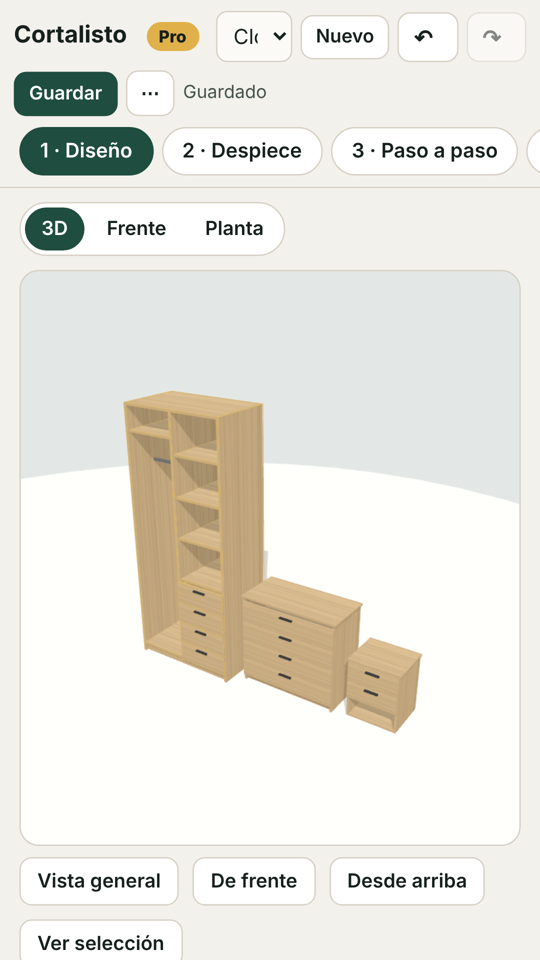
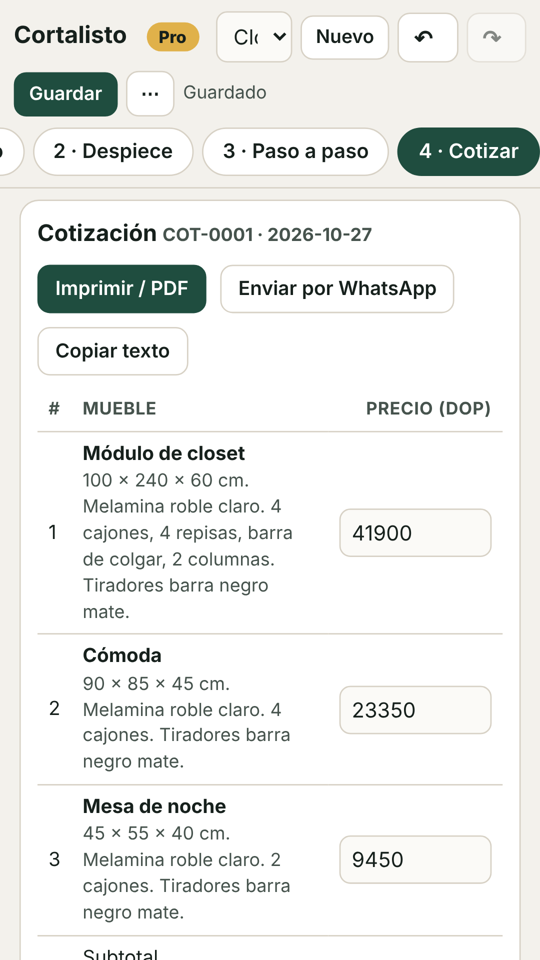
How it works
The same steps you already take, minus the late night with a calculator and the "where did this part go?".
"36-inch dresser with 4 drawers" or a template: closet, kitchen, TV unit, shoe cabinet, desk. Also from a photo.
Change sizes, drawers, doors and shelves. The app warns you if something doesn't fit or a shelf will sag.
Every part with dimensions, edge banding and holes; the cutting diagram per sheet with its cutting order. Ready to send to the cutting service.
Boards, edge banding, slides, hinges and fasteners with reference prices by country and currency. Get a quote from your store and save the real price: the app uses it.
Buy, cut, band, drill and assemble: each step with its parts in orange, its fasteners and a 3D viewer you can rotate. Nothing left to guess.
What it looks like on a PC
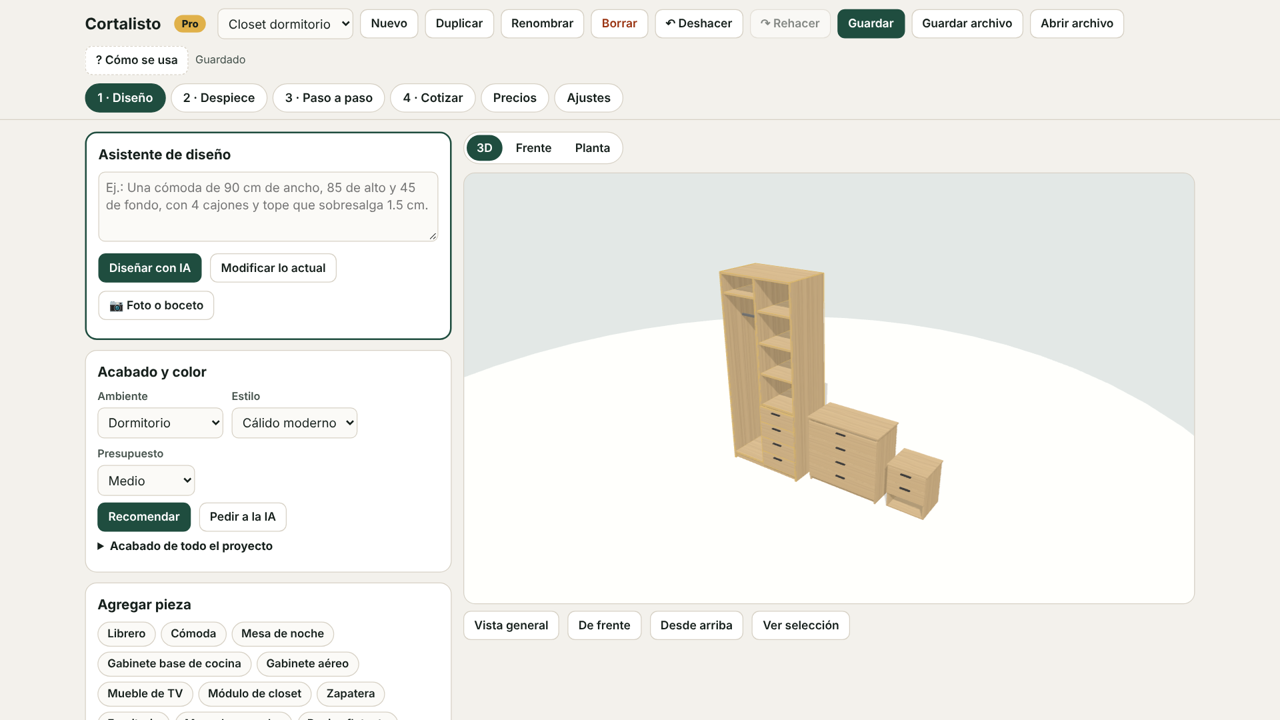
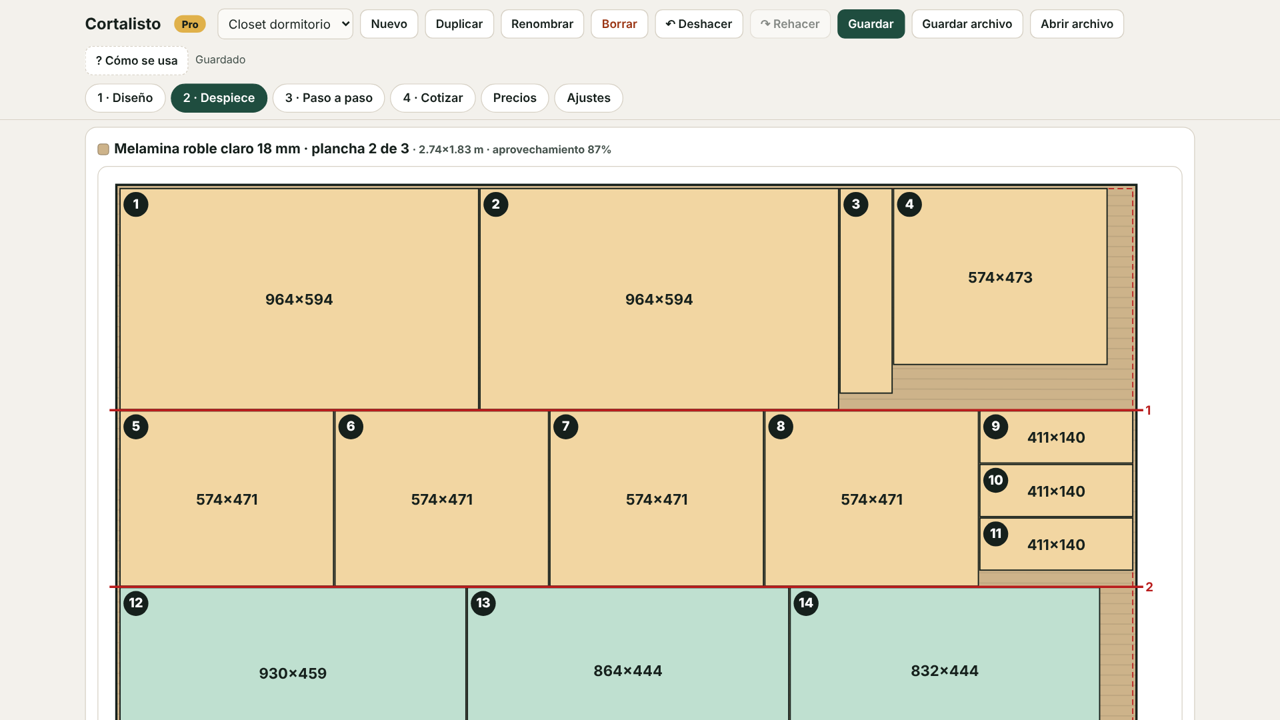
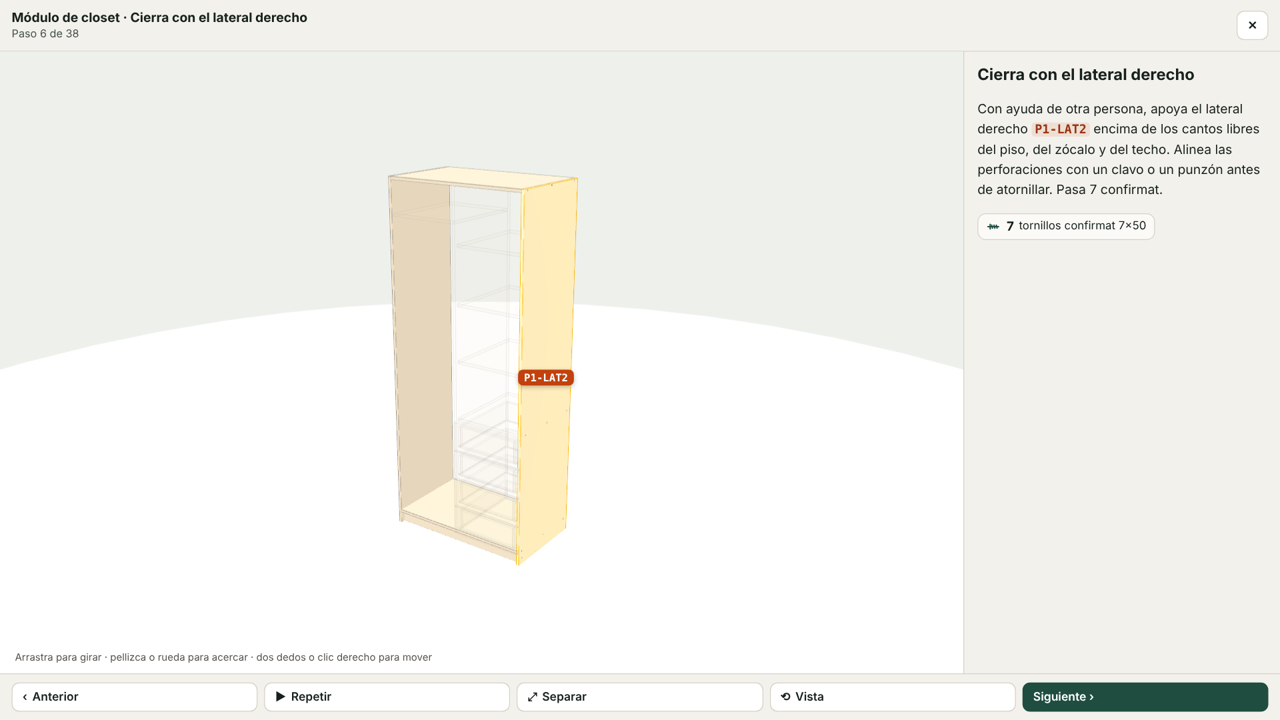
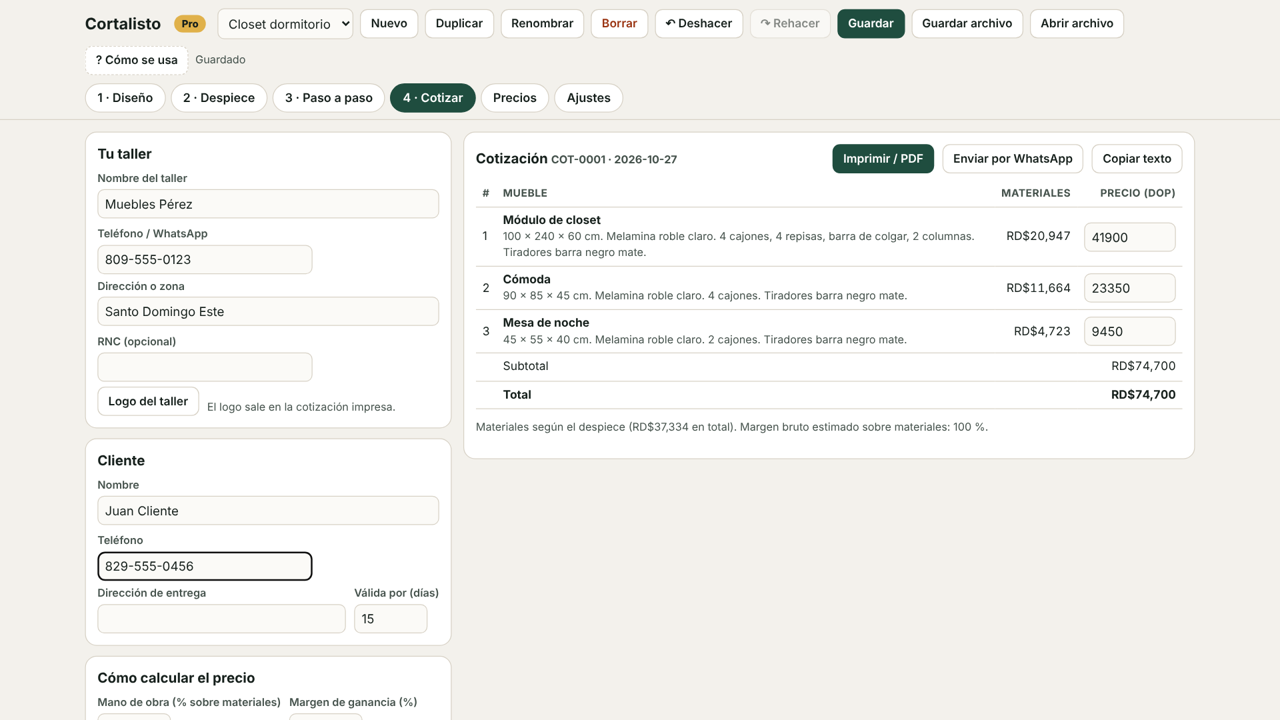
Screenshots show the Spanish interface; the app switches to English automatically for the United States, Canada, the UK, Australia and other English-speaking countries, or from Settings.
Download
Version 3.3.0. Free. No account.
Pricing
Start free. Go Pro when you want to quote with your logo and without limits.
- 3 AI designs per week, in 3D
- Up to 2 pieces per project
- Cut list and cutting diagram on screen
- Full step-by-step inside the app; 1 PDF per week saved on your device
- Unlimited step-by-step PDFs: save, print or send them to whoever assembles
- 200 AI designs per month
- Unlimited pieces per project
- Clean CSV, SVG and PDF for the cutting service
- Reference prices updated every month
- If you sell furniture: customer quotes with your logo, no watermark
- Support by WhatsApp
The annual plan saves 33% versus monthly. Pay by card or transfer and get your key the same day. One payment, one key, your devices.
Frequently asked questions
Are the prices the ones at my store?
They are reference prices for your country, calculated from a base reviewed every month and a per-country index. For the real price, get a quote at your store and save it in the app: from then on it uses your price in costs and in your quotes.
Do I need to be good with computers?
No. You describe the piece the way you'd tell a helper, and tap whatever you want to change. The "How it works" guide is inside the app.
Does the AI need a key or an account?
No. It's built in: 3 designs per week on the free plan and 200 per month on Pro. If you'd rather use your own key from another provider, you can set it up under Settings.
Where are my projects stored?
On your own device. We have no access. Use "Save file" to make copies or take them to the shop.
What if the customer changes the design?
Tell the AI "make it 3 drawers" and it redoes the cut list and the quote. The customer sees the 3D and stops changing things.
Which countries does it work in?
When you open it you choose your country and the app sets your currency, tax, usual sheet size and reference prices: United States, Dominican Republic, Puerto Rico, Mexico, Central America, Colombia, Venezuela, Ecuador, Peru, Bolivia, Chile, Argentina, Paraguay, Uruguay, Brazil and Spain. For any other country, pick "Other" and work in dollars.
Is it in English?
Yes. The interface, the cut list, the step-by-step guide and the quotes are in English or Spanish; the language follows your country and can be changed in Settings.
What about the customer quote?
It's for people who sell furniture: enter your shop, logo, labor and margin, and you get a PDF or a WhatsApp message. If you're only building your own piece, you don't need it.